You start a channel, lock the screen or open a messaging app, and a few minutes later the stream is gone. This is one of the most common complaints about any IPTV player on Android, and it is rarely the player's fault or your internet's. Android and the phone maker's own battery manager decide which apps may keep working when they are not on screen, and many default to being strict. This guide shows what to change, brand by brand.
What is really happening
Since Android 6, the system has had a feature that puts idle apps to sleep, and manufacturers have added their own layers on top. Some are gentle. Others, particularly on phones sold with a strong battery-life marketing message, end background apps within minutes. When a video app is cut off, the picture freezes or the app is simply closed. Nothing is wrong with the playlist. The settings below tell the phone that QwertyPlayer is allowed to continue.
Menu names change with every software release, so each entry describes the place to look rather than a fixed path. Use the search box at the top of Settings and type "battery" or "background" if you get lost.
Settings by brand
| Brand (example phones) | Where to look | What to choose |
|---|---|---|
| Samsung (Galaxy S, A, Z series) | Battery or Device care, then background usage limits | Remove the app from sleeping apps and add it to never sleeping apps |
| Xiaomi, Redmi, POCO (Xiaomi 14, Redmi Note 13, POCO F6) | App info, battery saver; and the Autostart page | No restrictions, and autostart on |
| Oppo, Realme, OnePlus (Reno, Realme GT, OnePlus 12, Nord) | Battery, app battery management | Allow background activity; turn off automatic optimisation for the app |
| Vivo (X100, V30, Y series) | Battery, background power consumption | Allow high background power use for the app |
| Honor (Magic6, Honor 200) | Battery, app launch | Manage manually and allow background activity |
| Huawei (P60, Mate 60, nova) | Battery, app launch | Manage manually and allow background activity |
| Motorola (Moto G, Edge) and Google Pixel (Pixel 8, Pixel 9) | App info, app battery usage | Unrestricted; check Adaptive Battery is not limiting the app |
| Tecno, Infinix, itel | Phone manager, memory cleaner and app battery | Protect the app from auto-clean and remove restrictions |
Steps that work on almost every phone
- Open Settings, then Apps, and select QwertyPlayer.
- Open the battery entry and choose unrestricted, no restrictions, or the nearest equivalent.
- Switch off battery saver or power saving while you watch. It overrides per-app settings on many phones.
- Confirm that notifications are allowed. Recent Android versions need that permission for playback controls.
- Open the recent apps screen and lock the app card if your phone offers a lock icon.
- Check that data saver is off, or that QwertyPlayer is allowed unrestricted data, if you watch on mobile data.
A hidden developer setting
If you have ever experimented in developer options, look for "background process limit" and make sure it is set to the standard limit. A low number there causes apps to be closed constantly and is easy to forget about.
What these settings do not fix
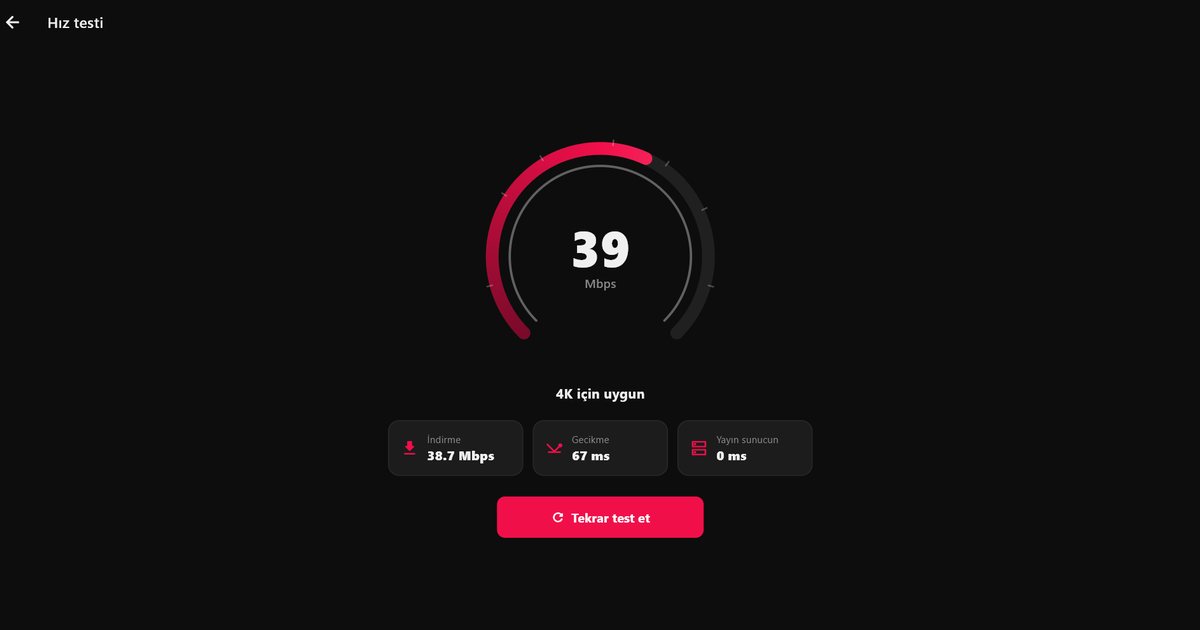
A system that no longer closes the app will not repair a weak connection. If the picture stalls while the app stays open, the cause is the network or the stream. Run the speed test in the app and follow the buffering troubleshooting steps. Be aware, too, that what happens with the screen off depends on the app version, so these settings should be seen as removing the operating system as a cause, not as a promise of a specific feature.
Guides for your phone
- Samsung Galaxy phones and One UI
- Xiaomi, Redmi and POCO
- Tecno, Infinix and itel
- Huawei and AppGallery
- Every Android brand in one overview
To avoid the problem entirely on the big screen, send the playlist to a television with the Connect to TV page.
QwertyPlayer carries no content. You add streams from your own provider and are responsible for your right to watch them.
Frequently asked questions
Why does Android close my IPTV app when the screen turns off?
The system or the phone maker battery manager puts apps to sleep to save power. Setting the app to unrestricted in its battery page usually stops that.
Do I need to change anything on a Pixel?
Open the app info, choose app battery usage and select unrestricted. Also check that battery saver is off.
Is it a problem with my playlist?
Not if the stream plays fine while the app is open. The problem is the phone restricting background activity.
Which setting matters most on a Xiaomi or Redmi phone?
Set battery to no restrictions and turn on autostart for the app.
Will these changes drain my battery?
Only while the app is actually working. Video playback uses power whatever the setting, and you can reverse the changes at any time.
Try it with QwertyPlayer
Download with a free trial for Android, Android TV, Fire TV, Huawei and Windows.